Machines
Dozens of operating systems, each one bootable in a browser tab
v86 emulates a whole x86 PC in the browser and boots a hundred-plus operating systems, from Windows 1.01 to 9front, by recompiling their machine code to WebAssembly live.
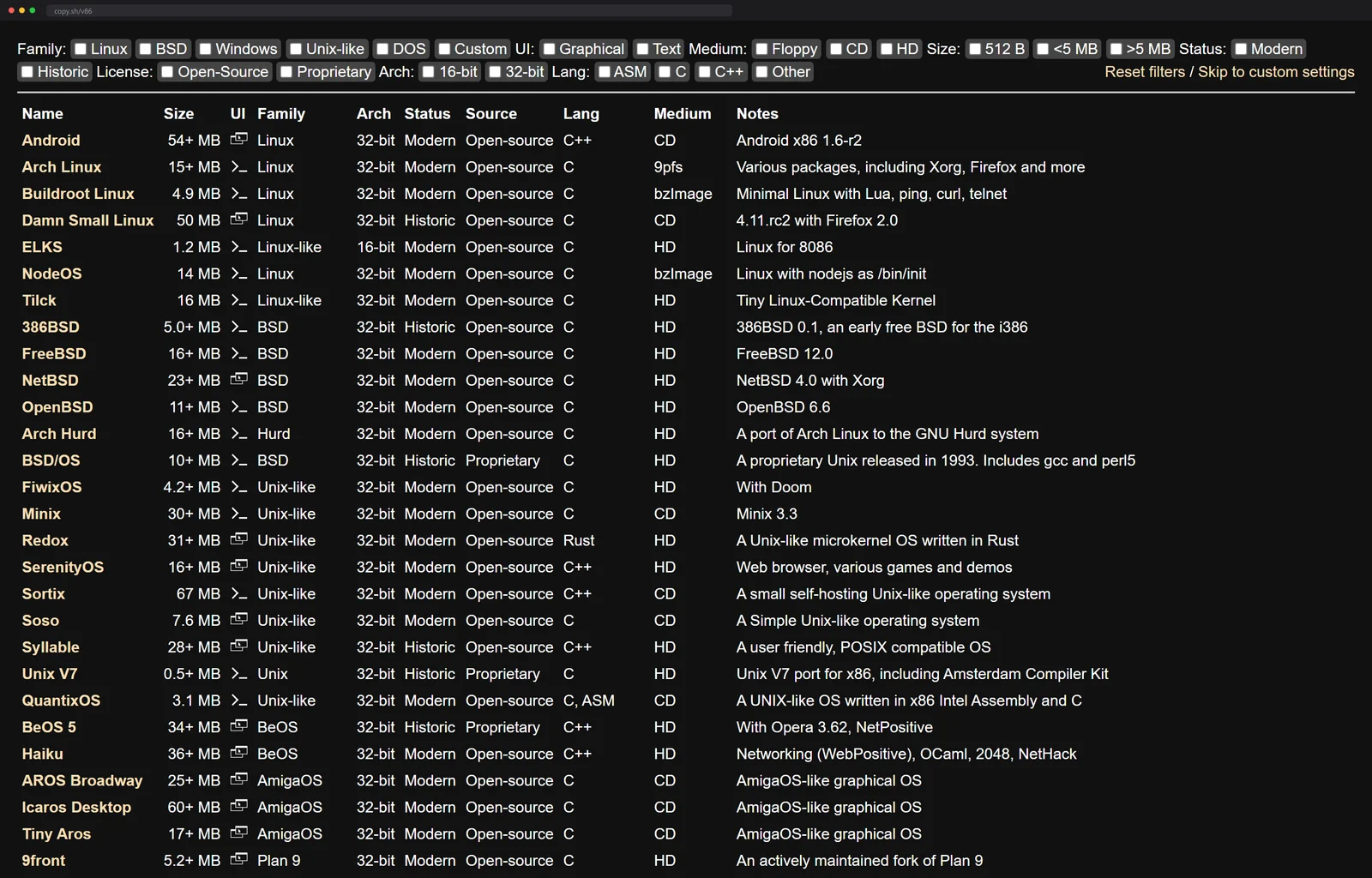
The page is a table, and the table is the flex. Row after row of operating systems you can boot right now: Arch Linux, FreeBSD, Haiku, ReactOS, 9front, Windows going back to version 1.01. You pick one, and a whole PC boots inside the tab.
v86, by Fabian Hemmer, is an emulator of a complete x86 machine, processor, video card, sound card, network card, running in JavaScript and WebAssembly. The catalog on copy.sh runs past a hundred bootable images, and the project sits on more than twenty-three thousand GitHub stars, which is a lot of people agreeing that a computer inside a webpage is worth staring at.
I lost an evening to the table alone. Windows 95 comes up to its teal desktop. Haiku brings a whole graphical desktop with it. 86-DOS, the system MS-DOS was bought from, boots to a bare prompt like it is 1980 again.
How a tab impersonates a Pentium 4
The reason it boots real systems at a usable speed, rather than crawling, is a trick called dynamic recompilation. A naive emulator reads one guest instruction, does it, reads the next, forever, and it is slow. v86 instead takes whole blocks of the guest's x86 machine code and translates them into WebAssembly modules at runtime, which the browser then compiles down to native code. So the emulated CPU is not being interpreted step by step, it is being turned into something your actual processor runs.
The plumbing for that is the browser's own loader: each hot block comes back from the translator as bytes that go through WebAssembly.Module and WebAssembly.Instance, the same two calls any page uses to load Wasm, except here the page is minting new modules from a running guest's machine code. The browser thinks it is loading a library. It is actually watching a CPU think.
The translator doing that is written in Rust, itself compiled to WebAssembly, with JavaScript around it handling the screen, the disks and the browser glue. The readme pegs the emulated instruction set at roughly Pentium 4 level, full SSE3 included, no 64-bit, which is plenty for a real desktop and the software of its era.
The CPU is only half the machine. The rest is a faithfully faked period PC: an IDE disk controller, an NE2000 network card, a Sound Blaster 16, VGA and SVGA graphics, a floppy drive, a PCI bus for it all to hang off. The guest probes for hardware it knew in 1998 and finds every piece, which is why unmodified installs boot without a single patched driver.
The fake PC is not frozen in 1998 either. The readme's hardware list runs on into the present: virtio devices for filesystem, network and memory ballooning, so a modern Linux guest can talk to the page the efficient way instead of pretending to bang on an IDE controller, and a 9p filesystem that lets the emulated machine share a directory with the JavaScript around it. The docs include guides for building your own Linux root filesystem served over that 9p channel, which is the quiet invitation to stop booting other people's images. There is even an emulated modem in the list, which I keep thinking about. The whole thing is BSD-licensed, so every piece of that machine is yours to read.
There is a party trick on top. The page can freeze the entire machine, memory and all, into a state file and restore it later, so a system you spent an evening poking at comes back exactly as you left it.
Meet the relatives
v86 is the speed branch of a family tree, and I spent a second evening visiting the relatives. Each one made a different trade.
- JSLinux is the ancestor. Fabrice Bellard booted Linux in a browser in 2011, and his technical notes lay out the current build: the TinyEMU emulator compiled to the web with emscripten, an interpreter that still reaches about 100 MIPS on a 2017-era desktop. That interpreter ceiling is precisely the wall v86's recompiler was built to break through. What Bellard trades for speed is reach: his emulated x86-64 carries AVX-512 and even the new APX registers, decades past v86's Pentium 4 line, and the menu runs from a graphical Windows 2000 to Fedora on an emulated RISC-V machine. Internet access comes through a websocket VPN capped at 40 kilobytes per second, two connections per public IP, numbers with a certain dial-up poetry to them.
- PCjs trades speed for fidelity instead. Jeff Parsons emulates the machines of the 1970s and 80s, original IBM PCs, Compaqs, DEC minicomputers, arcade boards, with period software to match: VisiCalc from 1981, Space Invaders from 1978, hundreds of titles filed by year like a working museum. The site archives the era's magazines and shareware discs alongside the machines, so the software boots inside the context it shipped in.
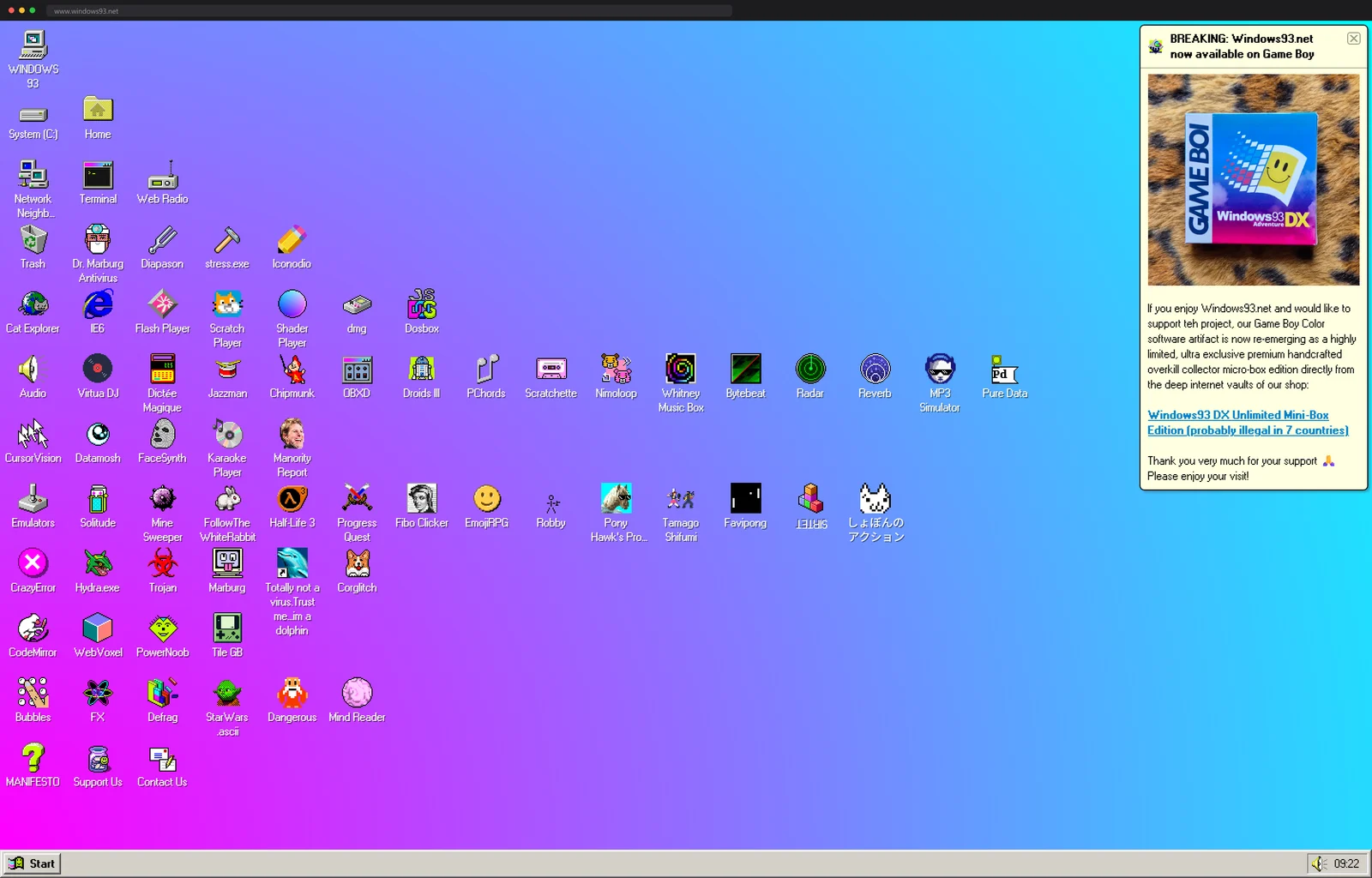
- The third road is the joke that refuses to die: a parody OS whose desktop only pretends to boot, while hiding a real Amiga emulator among the gag icons.
Put them side by side and v86's spot in the family is clear. It is the one that wants the real operating system, at real speed, with nothing rewritten.
A hundred desktops, one click each
The catalog itself is the joy. The readme's own demo list runs twenty-five systems deep before you ever reach the full copy.sh table, and half these systems most people have never seen boot. Here they all are, one click from a running desktop, with no install and no risk to anything.
And when clicking is not enough, the repo is the kit: the whole
emulator embeds in any page through the libv86.js library or a plain
npm install v86. Point it at a disk image and your own site has a
PC in it.
More machines with no hardware underneath them: a full Debian shell with no server behind it, and every classic Mac since 1984, booting from a link.
Next up
A parody operating system that boots to a desktop full of working toys